Feature · Planning
Budget tracking
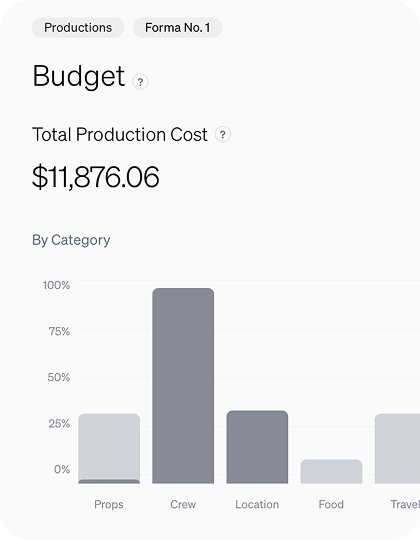
Keep budgets visible across projects, so you always know what a shoot costs before, during, and after.
What it's for
Know what a shoot costs.
prepros keeps the budget on the production, next to the work it pays for. Track spending against your allocations and see costs across every project.
Budget on the production
Numbers live next to the plan they belong to.
Allocations vs spend
Track spending against what you allocated per category.
Across every project
See costs at a glance for a shoot or your whole slate.
How teams use it
01
Set the budget
Add line items for crew, locations, gear, and more.
02
Track as you go
Add line items as you spend, receipts attached.
03
See the picture
Review costs across one shoot or the full slate (Pro and Brand).
Budgets for every kind of shoot
Running actuals
Track spend as the shoot runs.
Wrap reconciliation
Reconcile every line the day you wrap.
By category
Split spend across crew, locations, gear and more.
By month
Plan long productions month by month.
Receipts on file
Attach invoices and receipts to every line.
Clear categories
Crew, travel, food and more at a glance.
Long field shoots
Hold a budget steady across months away.
Whole-slate view
Costs across every production in one place.
Explore more features